Timing matters. Across major US power markets, grid operators are clamping down on speculative queue applications, so the site you pick is a decision you pay for up front.
The bar has been raised
From PJM’s strict 100% site control requirement at initial filing to MISO’s escalating withdrawal penalties, the cost of mistakes has increased dramatically. You commit land and capital to get into the study, which makes the site you pick a decision you are paying for up front.
Picking well is the hard part. Parcels that check every environmental, technical and spatial box get harder to find as your criteria tighten, and developers typically face a trade-off.
- High-precision local screening. Limit your search to a single county or small corridor, and you are left guessing what superior land you missed elsewhere in the state.
- Staged regional screening. Run a coarse, low-constraint sweep across a state, then manually vet candidate parcels one by one, only to discover major site flaws late in development.
Either way, you waste time, burn capital, and risk missing the best sites.
What if you could screen an entire state against all your constraints at parcel-level resolution in a single pass, iterating until you are certain you have found the sites that best suit your criteria?
That is Land Screening.
How it works
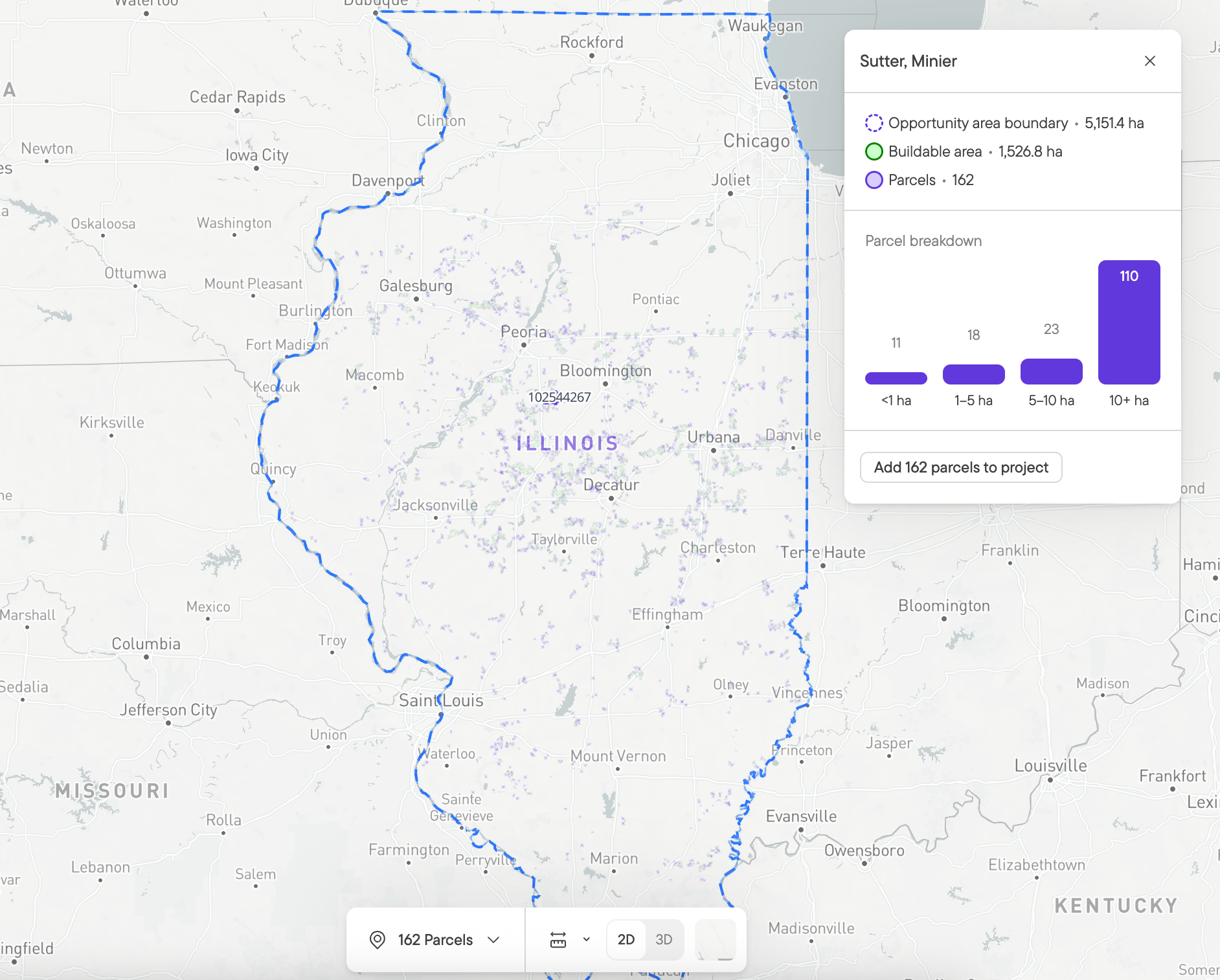
Select your target state, load your custom constraint profile, and hit run. Most teams start with grid constraints such as proximity to grid infrastructure and hosting capacity, then layer on protection zones, zoning, detailed topography and more. Grid, permitting and technical risk get screened in one pass.
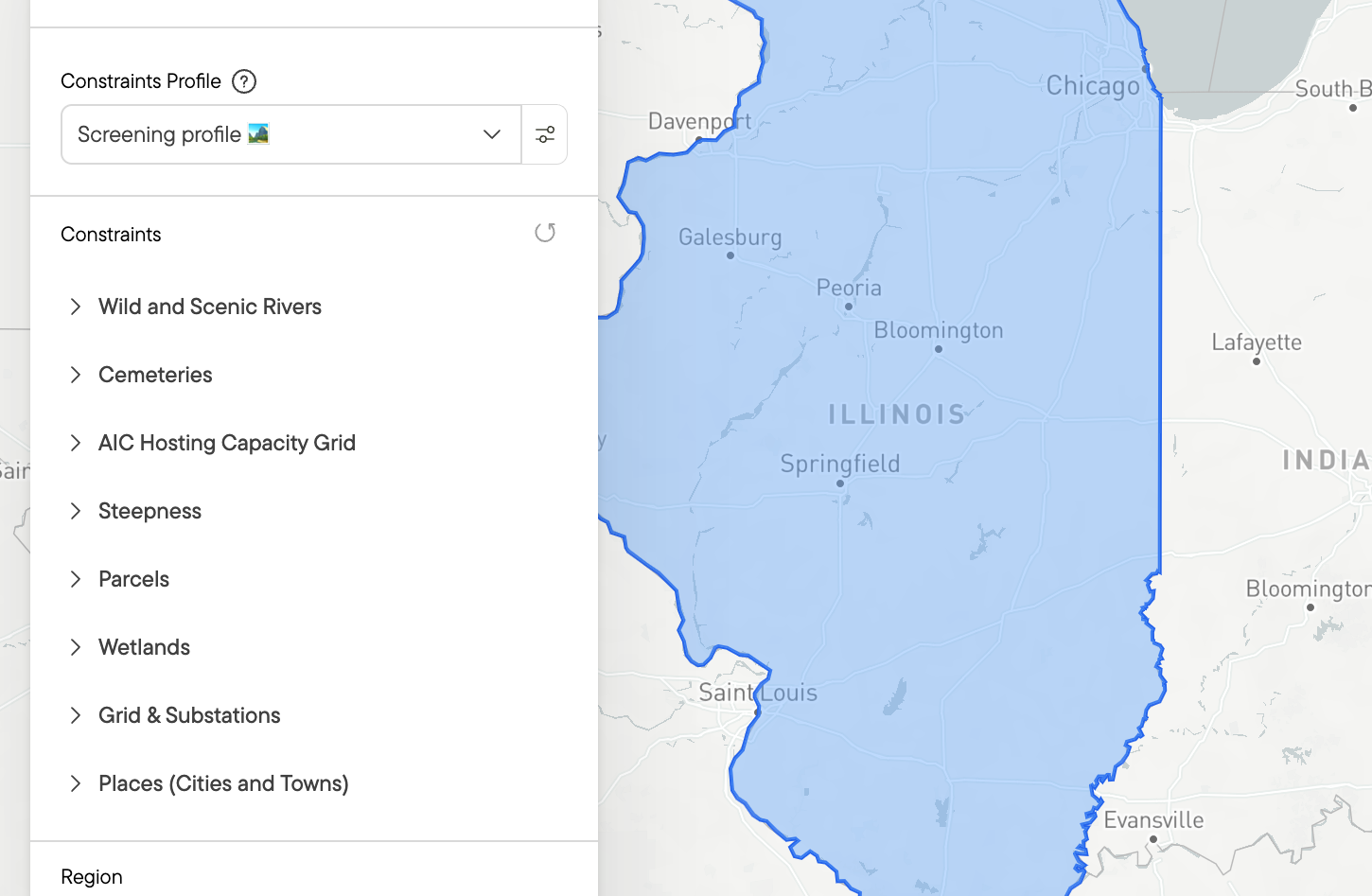
Grab a coffee. Within minutes, Land Screening returns a list of opportunity areas that you can filter and rank by buildable acreage and parcel count.
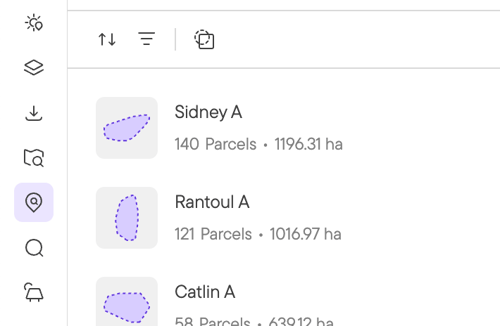
If your search yields zero results, you know immediately that your ideal project site does not exist under those parameters anywhere in the state. Adjust your secondary constraints, re-run, and compare. Within a few iterations, and hopefully few because too much coffee is not good for you, you hold a refined shortlist of opportunity areas.
No surprises when you zoom in
Screening tools usually trade resolution for coverage. That trade-off is why a clean-looking screening result can still fall apart later. You request ownership information, wait weeks for it to come back, and only then find the setback or protected area the screening never caught.
Land Screening runs the same constraint layers as Buildable Area. The buildable area you see on a parcel in your results is close to what you get when you open that parcel and run the full analysis. The shortlist you take into landowner outreach is a shortlist you can act on.
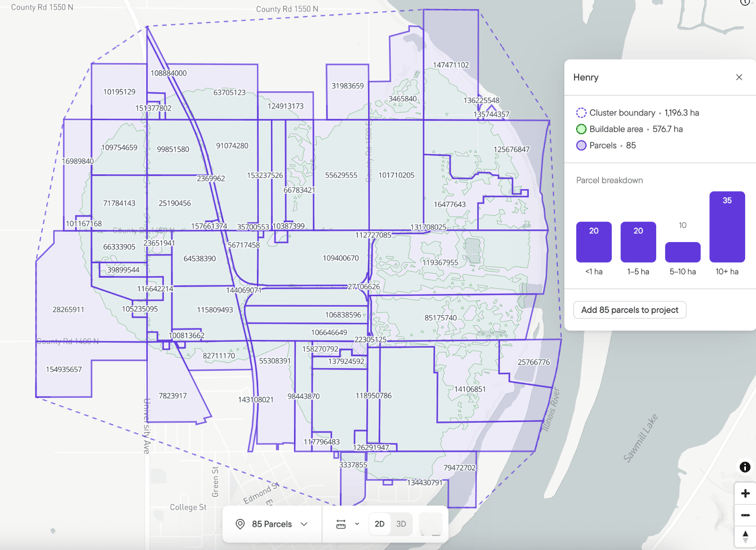
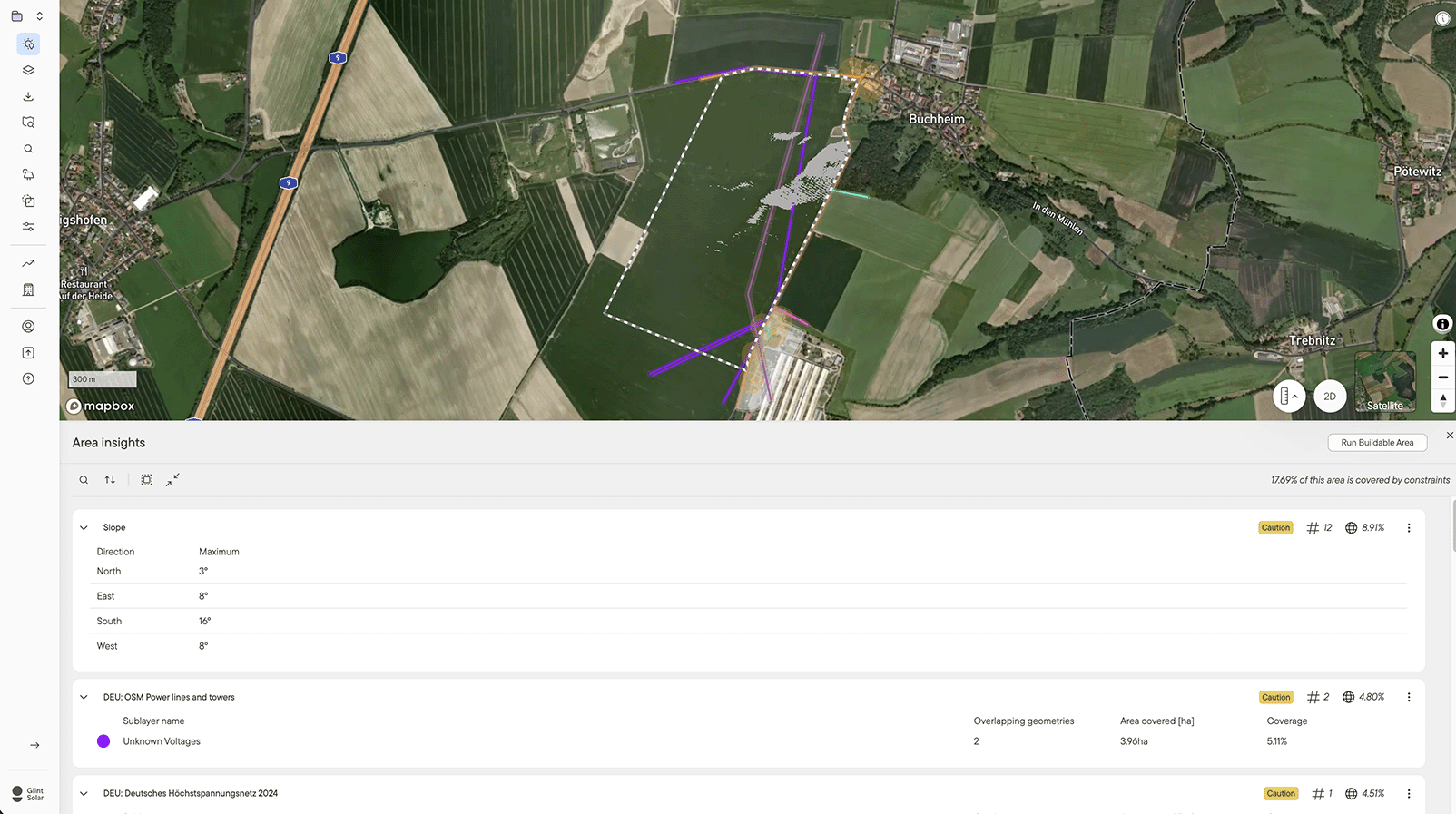
Two tools take it from there, and they answer different questions. Area Insights gives a status for every constraint layer on a shortlisted area, cleared, caution or danger, with dedicated slope and parcel sections. Buildable Area turns the same constraint profile into the precise buildable footprint once you decide to pursue an area.
Create a project or export for land campaigns
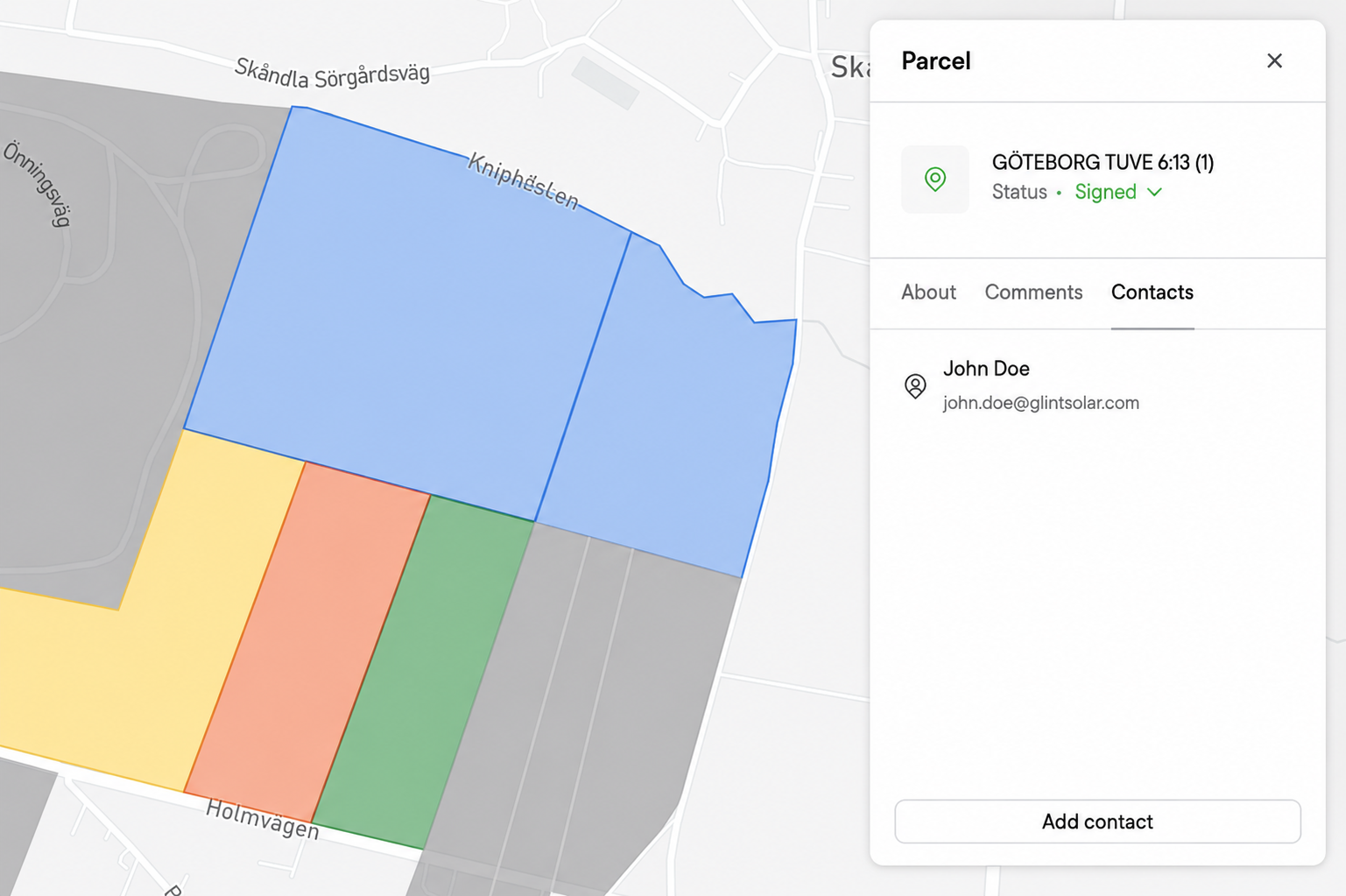
Inspect your opportunity areas, select individual parcels, or pull entire opportunity areas directly into a Glint Solar project for layout design, setback adjustments and yield simulations. You can also export parcel details and owner mailing addresses straight to CSV, ready to drop into your direct-mail campaign.
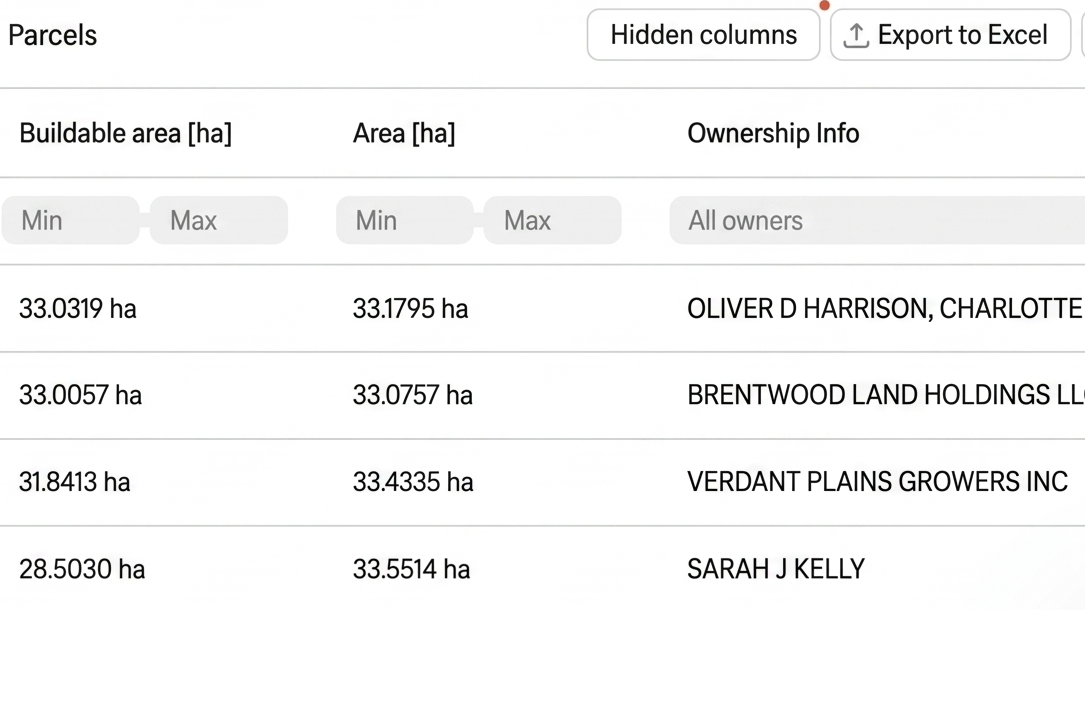
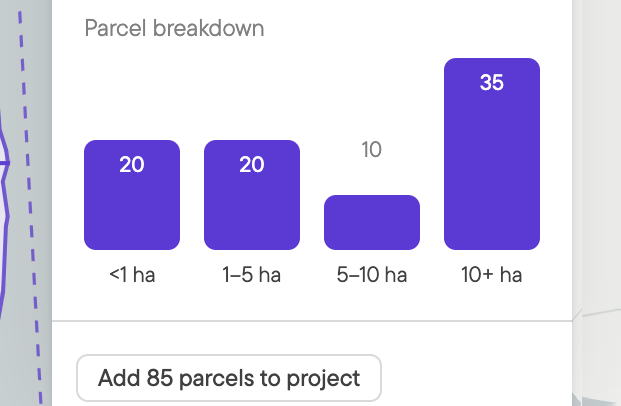
The parcel breakdown behind an opportunity area also tells you whether you are dealing with one large landowner or fifty small ones, which decides how you would run the campaign.
Rolling out state by state
Land Screening is available in Illinois, New York, Pennsylvania, Virginia, Maryland and Texas, and in Europe it’s live in France and Germany. More states and countries are coming soon. This feature is not enabled by default, so if you already use Glint Solar, your Glint contact can tell you what is live for your portfolio.
See it in action
Want to learn more? Book a demo and we'll run a screen on a region you're working.