Know if a site is worth pursuing

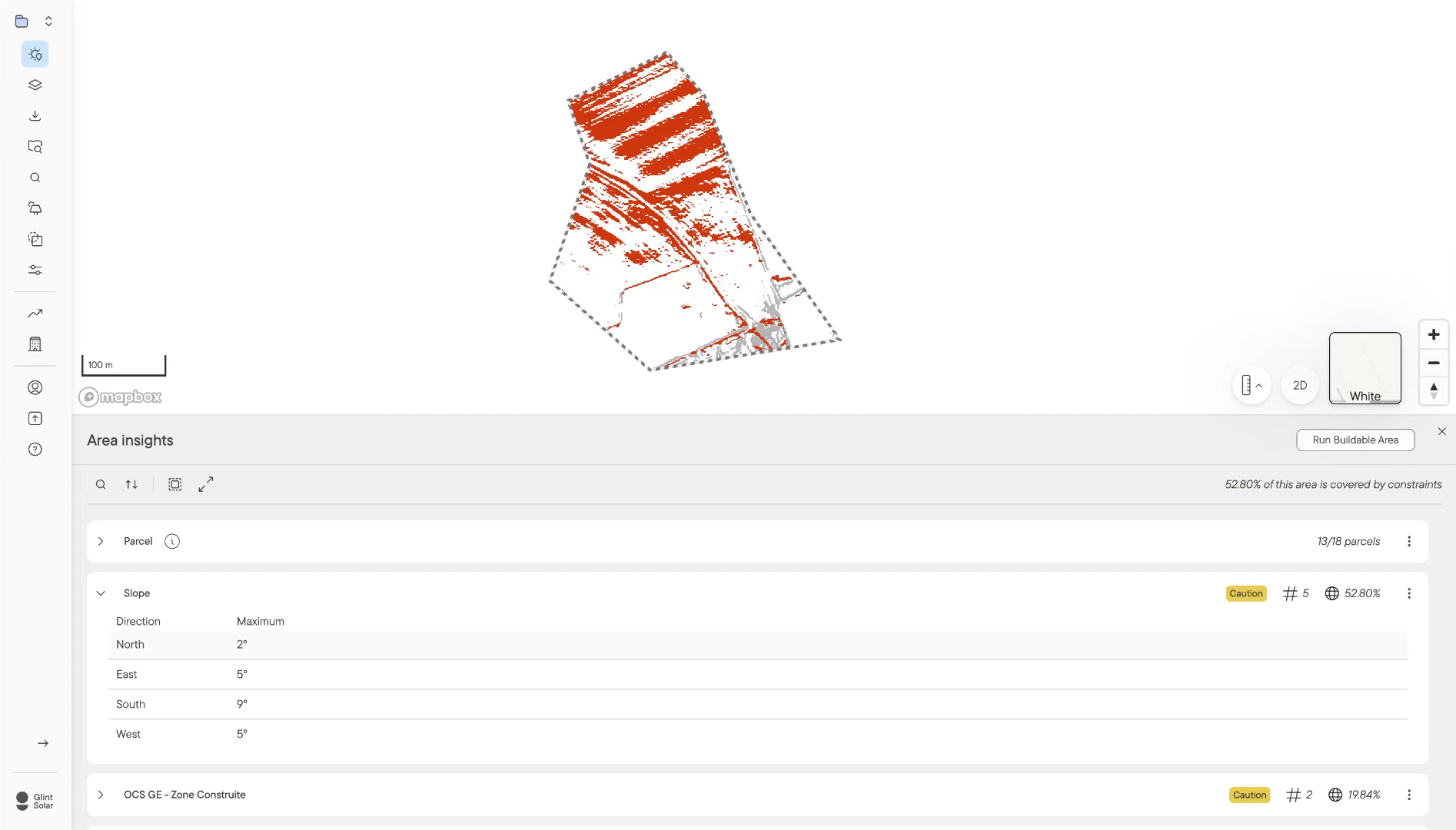
Right-click any area on the map and run Area Insights. You get one report covering every constraint in your profile, with slope, parcels and buffers worked out. Nobody starts designing before you know what's there.

Every constraint in one report, with a status on each

  • Every layer in your profile gets a status. Cleared means nothing interacts with your area, caution means something does, danger means the constraint covers the whole site.

  • Slope breaks down by direction, so ground that's too steep facing north but fine facing south doesn't get written off.

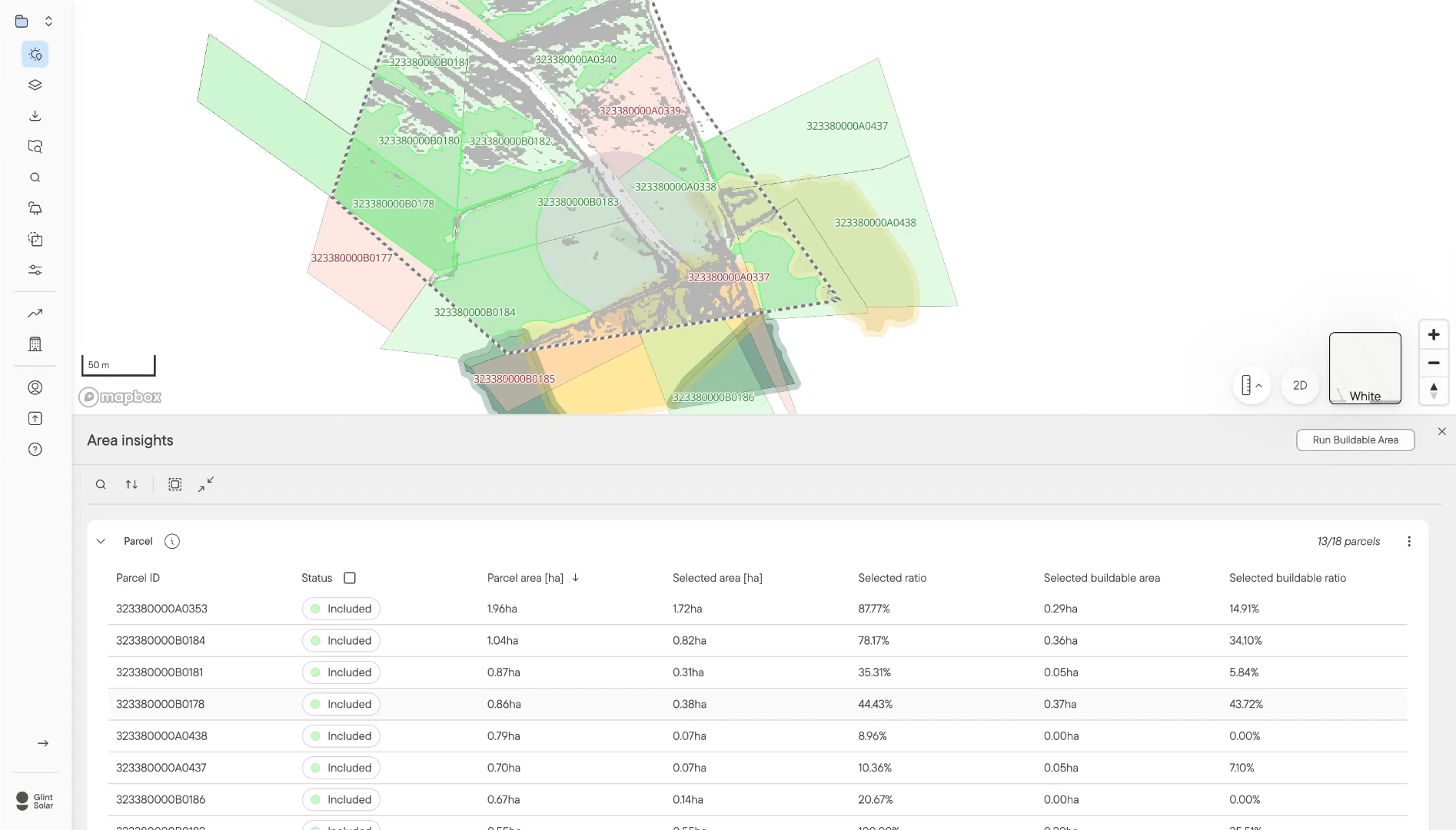
  • The map strips back to your selection and the results. No layers to toggle.

Area Insights report with caution status on slope and built-up land, and slope broken down by direction

See which parcels are worth a landowner conversation

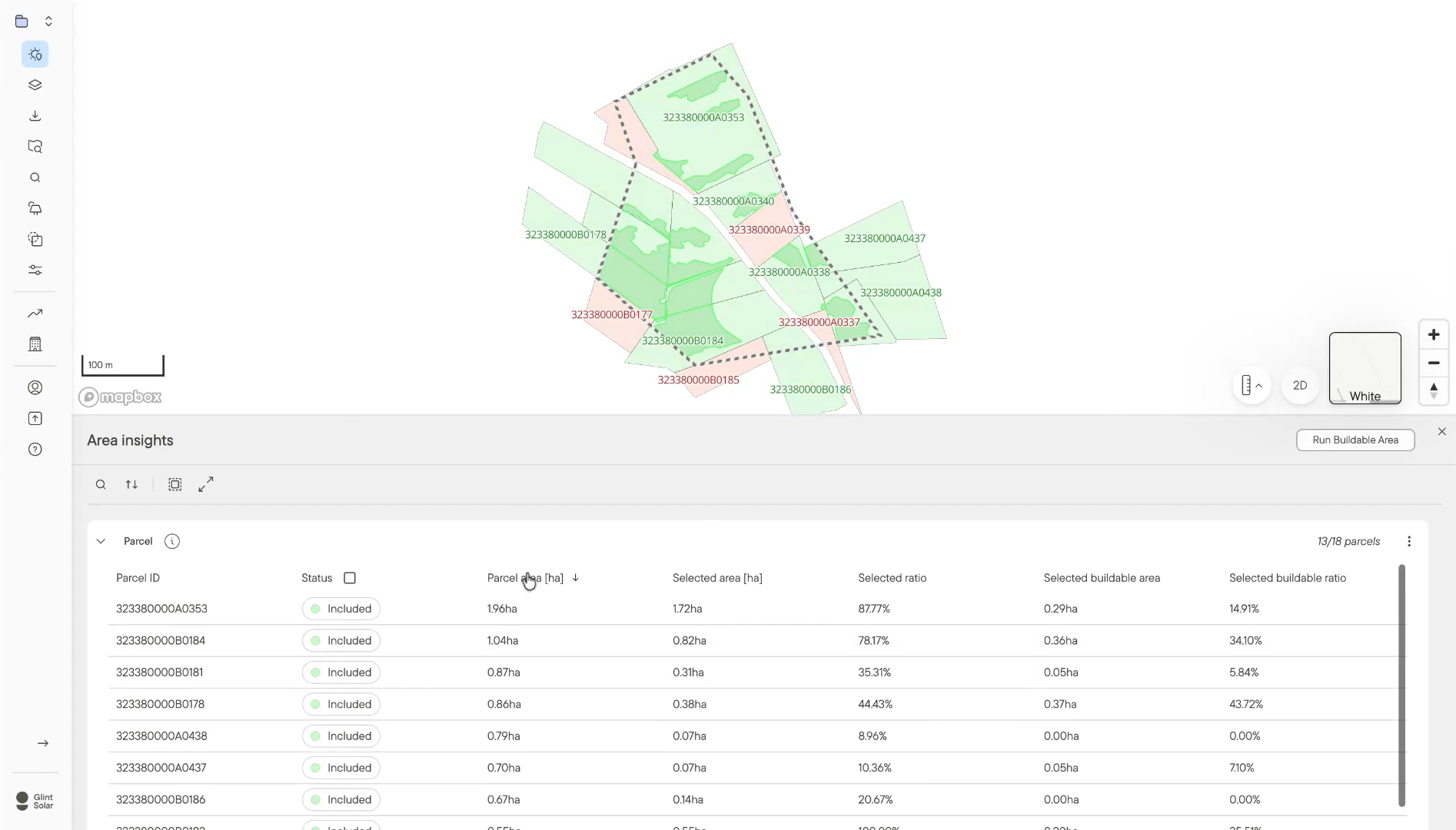
  • Every parcel touching your selection is listed and marked against your rules. Green where the parcel fits, red where it's too big or too small.

  • You also get the area inside your boundary, the part of it that's actually buildable, and both as ratios. Sort by buildable ratio and the strongest candidates come to the top.

  • That's the shortlist you take into negotiations, before spending anything on outreach.

Area Insights parcel table showing included and excluded parcels with selected buildable ratios

Your rules, applied the same way on every site

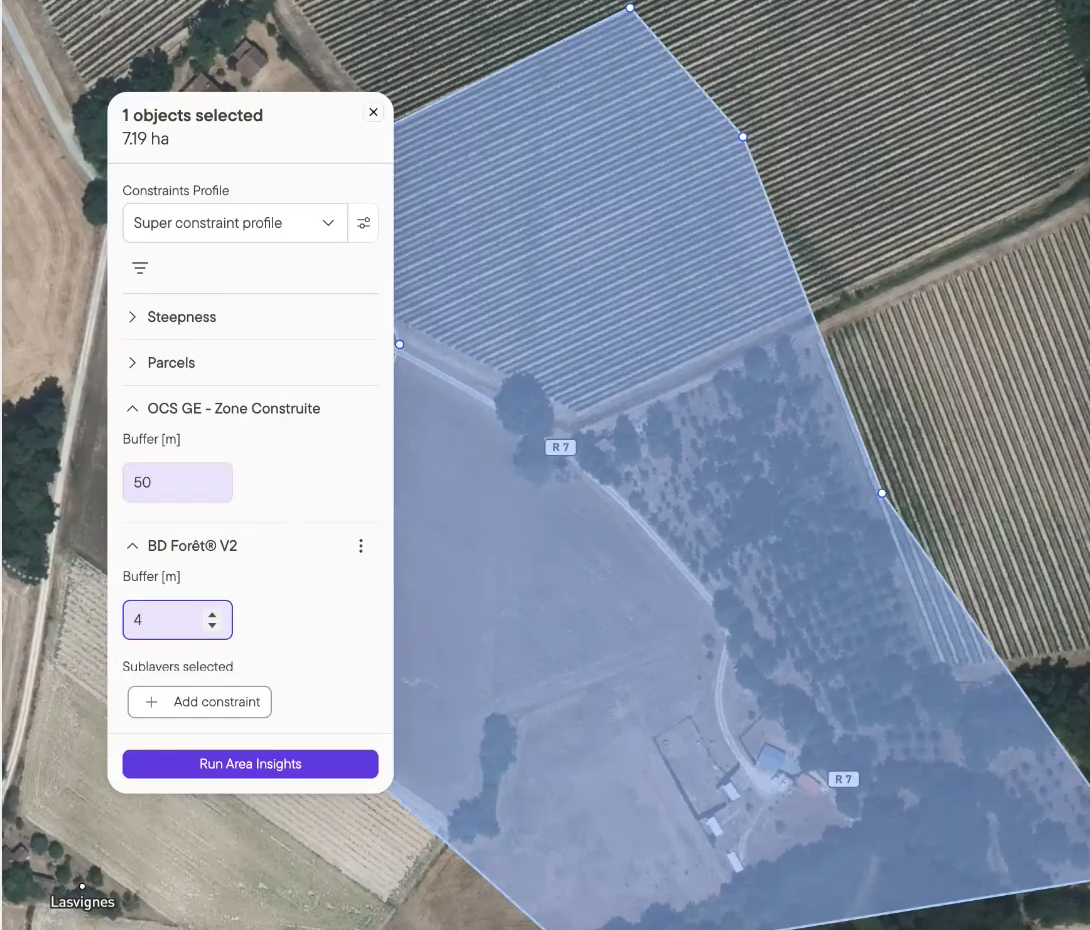
  • Area Insights runs on the same constraint profiles as Buildable Area. Set a 50 m buffer around built-up land once and everyone assessing a site works to that buffer.

  • Constraints apply whether or not the layer is switched on in the map, which takes out the most common source of error. Nobody has to remember what to check.

  • When a site looks worth keeping, run Buildable Area straight from the report and carry the same rules into your first layout.

Constraint profile in Glint Solar with buffers set on built-up land and forest, ready to run Area Insights

Area Insights turns a map full of unknowns into a decision you can defend.

Go/no-go in under two minutes

Screening a site used to mean drawing it, checking layers one at a time and waiting on a simulation, roughly 20 minutes of work. Area Insights returns the same answer in under two.

Area Insights report showing parcels, slope and forest constraints overlaid on one map

Common questions about Area Insights

What does Area Insights do?

You select an area on the map, right-click, and run Area Insights. It returns a report showing how every constraint layer in your profile interacts with that area, along with slope and parcel detail. It answers whether a site is worth pursuing before anyone commits engineering hours to it.

How is it different from Buildable Area?

Buildable Area gives you the footprint you can build on. Area Insights tells you what stands in the way and how serious each thing is. Most teams assess a site first to decide whether it's worth keeping, then run Buildable Area from the same report to get the footprint.

What do cleared, caution and danger mean?

Cleared means the layer has no geometries interacting with your area. Caution means at least one does, so it needs a closer look. Danger means your area is fully covered by that constraint, which usually makes the site a no-go unless the constraint can be mitigated.

Where is Area Insights available?

Everywhere Buildable Area is live, and it's switched on automatically based on your portfolio's geography. As Buildable Area reaches new markets, Area Insights follows.

Does a cleared report mean the site will get permitted?

No. It's an early filter rather than a permit decision. What it changes is where permitting work starts, on a site already checked against the constraints you care about instead of one that fails six months in.

Does it work for BESS projects as well as solar?

Yes. Area Insights runs against whichever constraint profile you pick, so a profile built around BESS siting rules gets assessed the same way as one built for PV.

Can I save or export a report?

Reports open in the app and can be re-run whenever the underlying data changes. Saved reports and PDF export are both on the way.

See how fast Area Insights clears or kills your next site.