
Stop retyping project data into every system.

Capacities, development stages, and custom fields sync two ways between Glint Solar and the tools your team already uses, so your pipeline reads the same in every system and nobody reconciles spreadsheets before a board meeting.

Connect Glint Solar to the tools you already run on.

  • Works with any platform that offers API access, including Salesforce, HubSpot, Monday.com, Asana, Airtable, and your own internal tools.

  • Sync runs two ways, so an update in either system carries over automatically with no manual data entry.

  • Create a project in Glint Solar the moment a lead qualifies in your CRM, and it's ready for the team to assess.
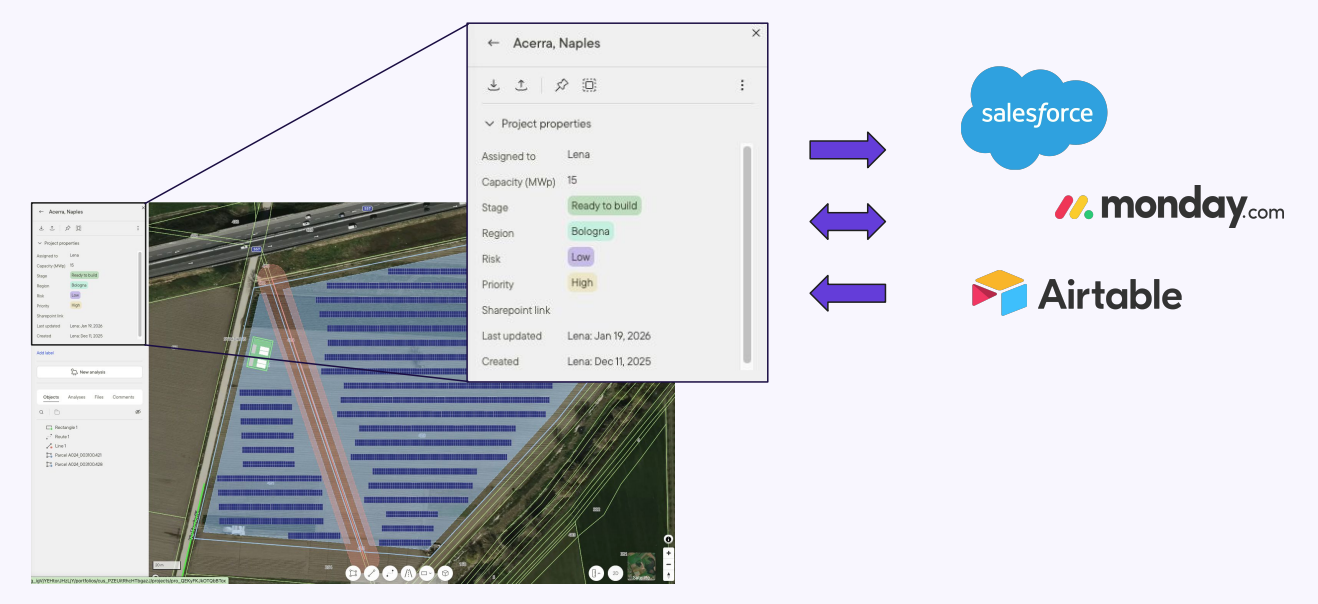
Project properties in Glint Solar syncing two ways with Salesforce, Monday.com, and Airtable

Keep reporting consistent without the reconciliation.

  • Capacities, development stages, and custom properties stay current in every connected system, so pipeline reports stop drifting apart.

  • You decide what syncs. Only explicitly mapped data flows out, and site designs and technical analyses stay in Glint Solar unless you configure them to move.

  • Site Control integrates with the API too, so your land control record connects to the same stack.

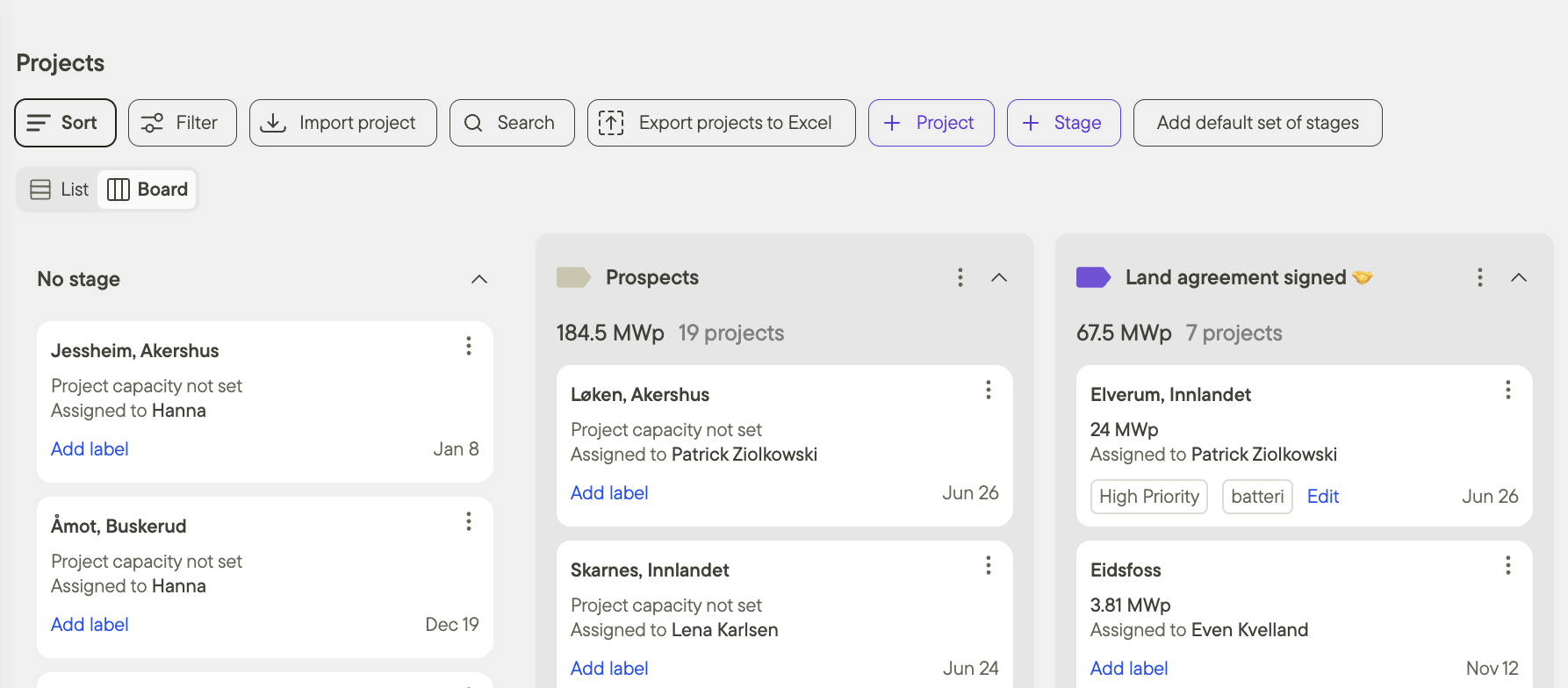
Project pipeline in Glint Solar organised by development stage with capacity per stage

Built for every team that touches project data.

One connection serves three jobs: the people who build the stack, the project teams who stop retyping, and the managers who need numbers they can trust.

For developers and ops building the stack

Full CRUD over projects and their metadata: create, read, update, and delete projects, capacities, locations, stages, and custom fields. Authentication runs on Personal Access Tokens that inherit each user's permissions, and complete documentation lives at api-docs.glintsolar.com.
Developer integration workflow in Glint Solar

Frequently asked questions

Which tools does the API work with?

Any platform that offers API access. Teams connect Glint Solar to CRMs like Salesforce and HubSpot, project management tools like Monday.com and Asana, Airtable, and custom internal tools. You can read more in the launch announcement.

What project data can we sync?

Projects and their metadata: names, capacities, locations, development stages, and custom fields. Only the data you explicitly map syncs, and site designs and technical analyses stay in Glint Solar unless you configure them to move. That keeps Glint Solar as the land and design layer of your unified workspace while the rest of your stack stays current.

How is access controlled?

An Organization Admin enables API access in Organization Settings. From there, users generate Personal Access Tokens from their own profile, and every token inherits that user's permissions, so the API never sees more than the person behind it.

Do we need developers to use it?

Setting up an integration is a job for whoever builds your internal tooling, and the full documentation at api-docs.glintsolar.com is written for them. Once it's connected, the rest of the team just works as usual and the data stays in sync.

BOOK A DEMO

See the API in your stack.

Bring your CRM or reporting setup. We'll show you how project data syncs both ways and what your team stops retyping.

mountain_help_illustration_transparent