Skip the repetitive design work with Glint AI.

Describe what you need in plain language. Glint AI draws, edits and runs analyses in your project, using Glint Solar's own data and design tools.

Compare design options in one request.

  • Ask for an analysis of every PV, BESS or hybrid configuration you have, or of several values of one setting like tilt. Glint AI runs them one after the other.

  • See project capacity, specific yield and battery capacity side by side, without opening each report.

  • You pick the settings and the values. It compares technical results only, so the investment call stays with you.

Glint AI running an analysis for every PV configuration and comparing the results

Describe it. Glint AI does the clicking.

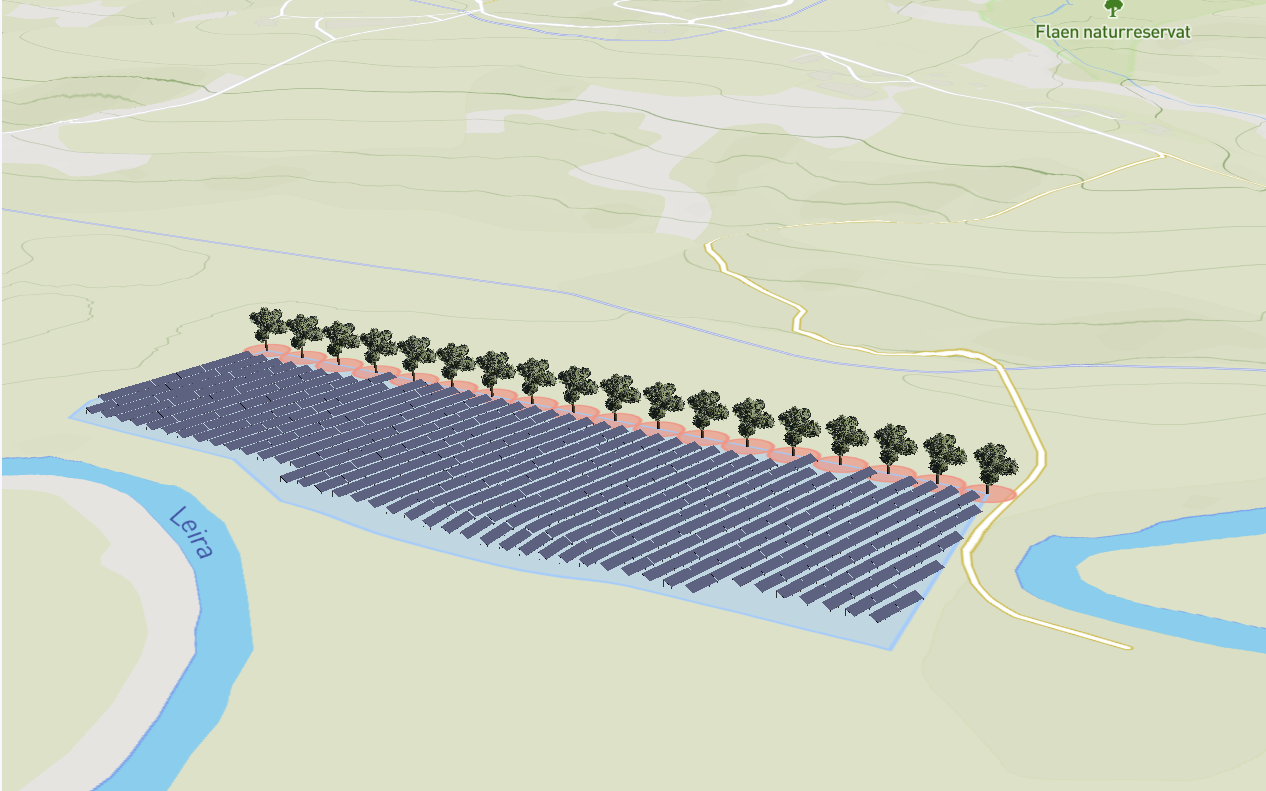
Oak trees placed along the site boundary in Glint Solar

Can you place oak trees to the south side of my site?

Should the trees sit just outside the south boundary, just inside it, or exactly on it?

Just outsideJust insideExactly on it

A row of oak trees along the edge of a solar site in Glint Solar

Make all the trees along the west side 8 metres tall.

Two wind turbines placed next to a solar site in Glint Solar

Can you place wind turbines at these coordinates? 48.8584, 2.2945 and 48.8738, 2.2950

Done! 2 wind turbines placed at your coordinates.

A PV layout across several areas of a site in Glint Solar

Could you run an analysis with all PV configurations we have so that I can compare them?

12 PV configurations found. I'll run one analysis per configuration, selecting each in turn and running it.

Help that knows where you are.

  • Glint AI understands the context of your project and sees what you've selected on the map. So you can ask “why won't these batteries work here?” without explaining anything first.

  • Get step-by-step fixes and answers from Glint Solar's help content, without leaving the map.

  • Name a project, portfolio, past analysis or address and it takes you straight there.

Glint AI explaining step by step how to export panels

Accurate by design.

You talk to Glint AI in natural language, but it doesn't use generative AI to draw on your map. Every shape, object and analysis comes from Glint Solar's own tools, the same ones you'd use yourself.

Built on Glint Solar's data and tools

It works with built-in layers across 35 countries, deepest in Germany, Italy, France and the UK, and the same design tools you use. So results behave like anything you drew yourself.

Asks instead of guessing

It only changes the settings you name. If a detail is missing, like whether trees go inside the boundary or on it, it asks.

Checks before it acts

It confirms the configuration before each analysis, and won't delete anything until you say so.

Built for every team that works on the design.

Your expertise is the scarce resource, so spend it on the decisions only you can make. Each team hands off different tasks to Glint AI.

For origination and business development

Copy the parcels you've selected into a project, check buildable area against your constraint profile, and find any project or address from the chat.
Parcels and buildable area in Glint Solar
BOOK A DEMO

See Glint AI on one of your sites.

Bring a project you're working on. We'll run Glint AI on it live, from a first setback to a comparison of design options.

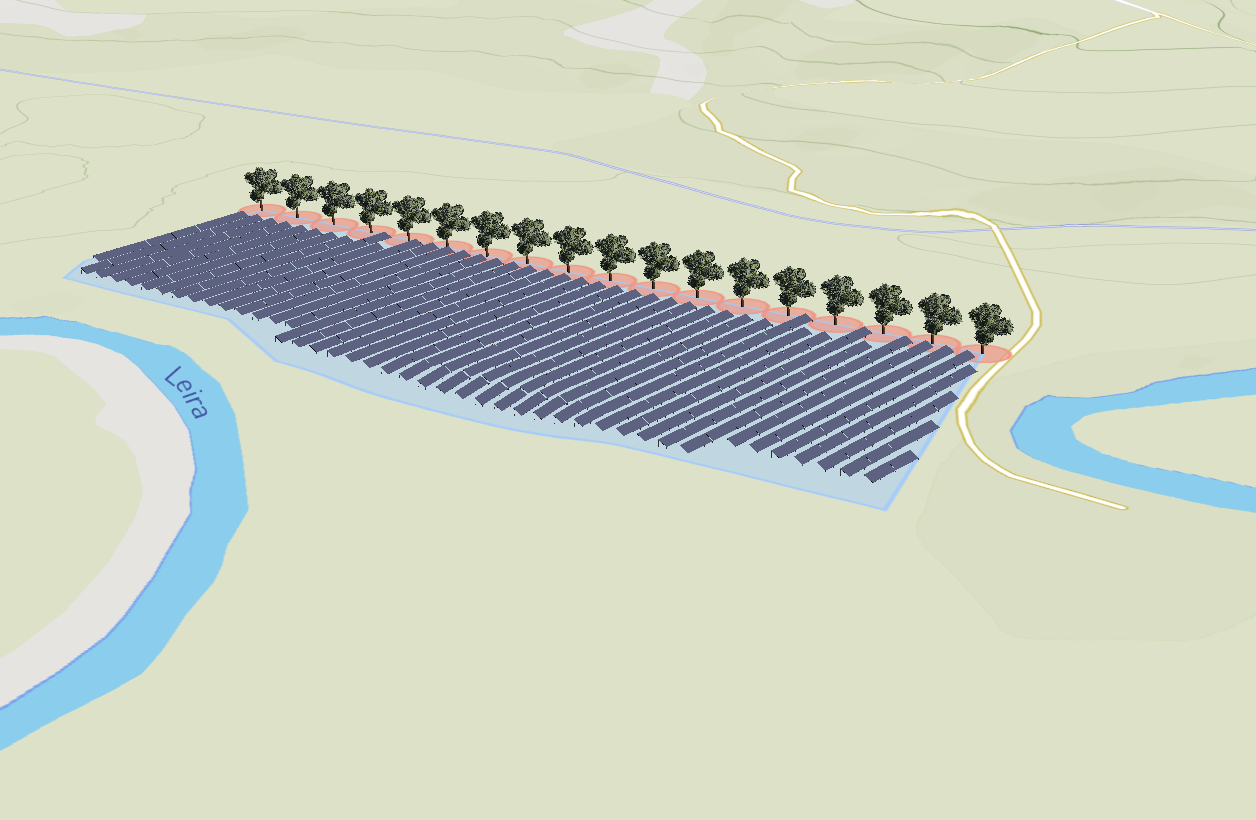
Oak trees placed along the boundary of a solar site in Glint Solar

Frequently asked questions

What can I ask Glint AI to do?

Design actions, like drawing shapes, adding fences, roads and 3D objects, and running and comparing analyses. And questions about using Glint Solar, including why you're seeing a warning or an error.

Where do I find it?

Click the ★ icon at the bottom left of the screen. Glint AI is currently available to selected customers, and you need Creator access or higher to the portfolio you're working in.

Will it hallucinate when designing my site?

No. You talk to Glint AI in natural language, but it doesn't use generative AI to draw on your map. It works out what you're asking for, then carries it out with Glint Solar's existing design tools.

What if it makes a mistake?

Undo it with Cmd+Z or Ctrl+Z, or ask Glint AI to fix it. Undo covers drawing changes, not configuration changes or analyses.

Can it optimise my hybrid site?

Not at the moment. It can run several analyses and compare the technical results, but it has no view of LCOE or IRR.

Can it screen land for me?

Not yet. That's what Land Screening does today.

Is my project data used to train AI models?

No. Your project data isn't used to train any AI models.

Is there a usage limit?

Glint AI is free to use for now. Usage quotas may be introduced from October 2026, and your Glint Solar contact can take you through what's included.

What's coming next for Glint AI?

The Design Agent is the first release. Next, you'll be able to describe the constraints you care about in plain language and have Glint AI point you to the layers that matter. We're also building a dedicated grid product to help you understand grid capacity and queues, and Glint AI will be part of it from the start.