Screen a million hectares in minutes.

Land Screening adds country-scale screening to the workspace your team already uses. Set your constraint profile once, pick the country or draw the region, then screen. You get back the best opportunity areas, the parcels inside them, and the landowner for each.

10,000s of km²
Screened in one pass
Minutes of work
Instead of weeks or months
1,000s of parcels
Returned as opportunity areas

Get a shortlist of sites with the least permitting risk.

Cover a vast area in one scan

Screen tens of thousands of square kilometres against the profile you already use, instead of traditional manual search.

Keep every constraint on

Nothing gets loosened to make the area fit, so the parcels that come back meet your criteria.

Start outreach from a shortlist

Every opportunity area arrives with its parcels, buildable area and ownership, ready to contact.

Screen with every constraint you need.

  • Grid, substations, capacity, wetlands, flood, steepness, parcel size, Natura 2000 and other protected land.

  • Every constraint stays on across the whole country. It runs on the same constraint profiles as Buildable Area, so there is no second rulebook to maintain.

  • Every search records the constraints it ran on. If a region comes back thin, relax one and screen again.

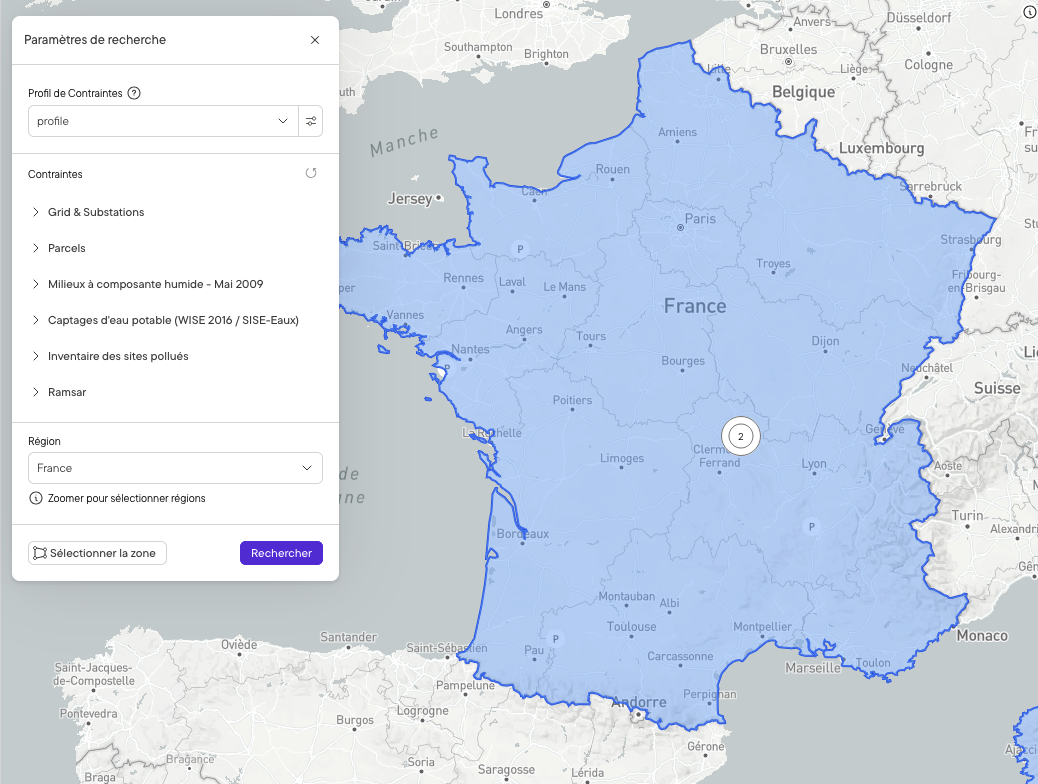
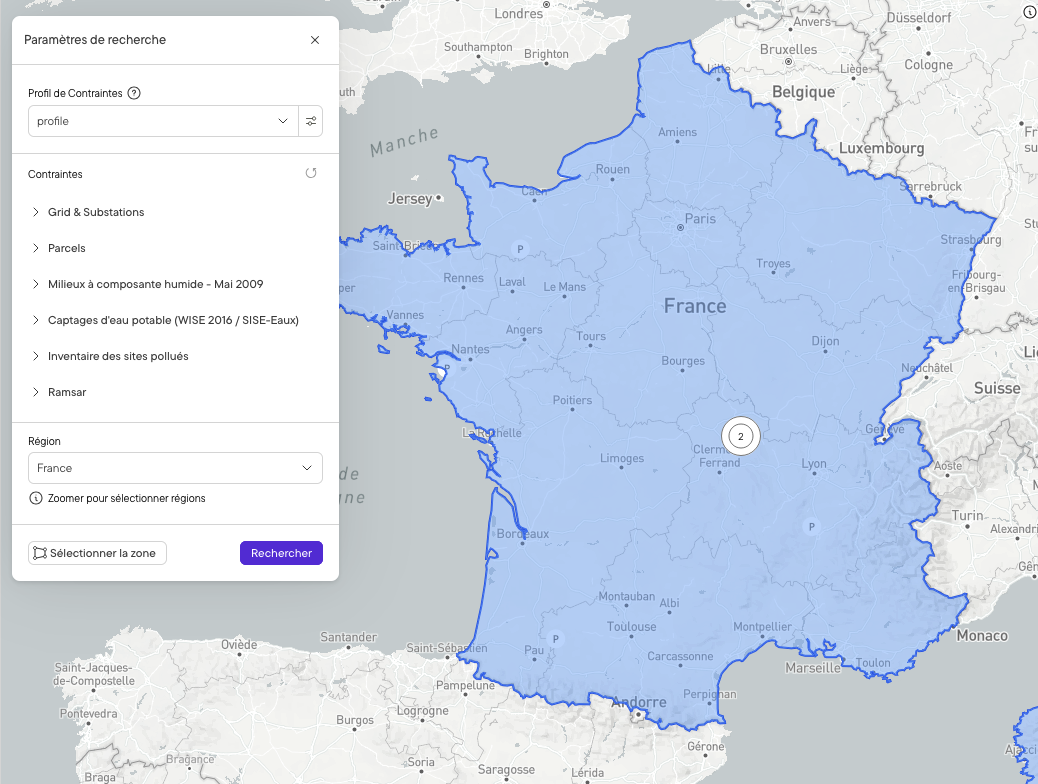
Search settings panel listing the constraints applied, including grid and substations, parcels, wetlands, drinking water catchments, polluted sites and Ramsar wetlands, with France selected as the region

Ranked on what is buildable.

  • Every opportunity area comes back with its buildable area and the parcels inside it.

  • Sort and filter on developable land rather than on total size. Weak ground drops out early.

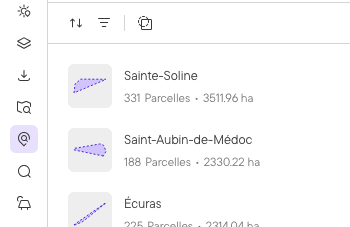
Results list of opportunity areas, each with its parcel count and buildable area, with sort and filter controls

Every parcel comes with its owner.

  • Ownership and contact details sit in the same table as buildable area.

  • Filter the parcels worth pursuing, then export to Excel.

  • Send the parcels you need into a project. Layout and yield run on those same parcels.

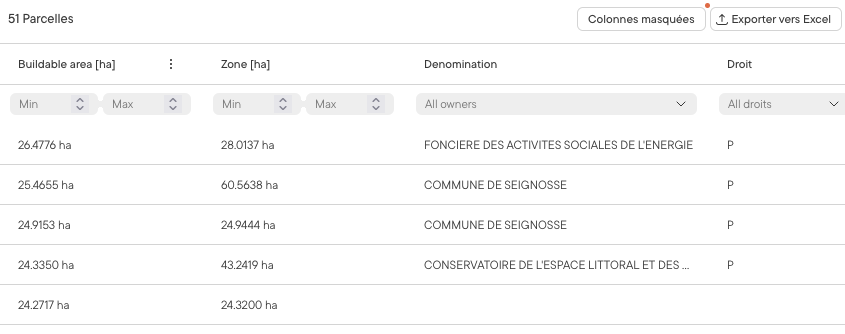
Parcel table showing buildable area, total area and ownership information for each parcel in an opportunity area, with export to Excel

Screening is the first pass.

01
Land Screening
Screen a whole country against your constraint profile. Ranked opportunity areas come back with an estimated buildable area per parcel.
02
Area Insights
On a shortlisted area, get a status for every constraint layer, cleared, caution or danger, plus slope and parcel detail.
03
Buildable Area
Turn the same profile into the precise buildable footprint on the area you decide to pursue.
04
Site Control
Track parcel status, landowner contacts and agreements once you are negotiating.
BOOK A DEMO

See a screen run on a country you're working.

Bring the market you're prospecting and the constraints you screen on, and we'll run it live. Land Screening is rolling out across Europe, starting with France and Germany.

land-screening-eu-02

Frequently asked questions

How large an area can one screen cover?

A medium-sized European country or a US state in a single pass, tens of thousands of square kilometres, run against your full constraint profile rather than a stripped-back version of it. A search takes several minutes, and you can carry on working elsewhere in the platform while it runs.

How accurate is the buildable area it returns?

Close to what a full Buildable Area run returns for the same parcel, because both use the same constraint profile, though it is not an exact match. Treat it as a preliminary estimate, accurate enough to rule land out. On the areas that survive, Area Insights gives you a status per constraint layer with slope and parcel detail, and Buildable Area gives you the precise footprint. Neither the estimate nor the screen is survey-grade, and it will not stand in for diligence.

Which markets is Land Screening available in?

It's rolling out across Europe, starting with France and Germany, with more countries following. It isn't enabled by default, so if you already use Glint Solar, your Glint contact can tell you what's live for your portfolio. If you don't, book a demo and we'll cover where it stands for the markets you develop in.

Does it work for BESS and hybrid projects, or only solar?

All three. The same screen runs against a solar, BESS or hybrid constraint profile, so storage and co-located sites get screened on the constraints that apply to them rather than on a solar proxy.

Do I need a GIS background to run it?

No. The strategy lives in the constraint profile rather than in one person's head, so anyone on the team can run a screen and get a result the rest of the team can defend.

Screening is the first pass. Area Insights takes a shortlisted area deeper, Site Control tracks the parcels once you're negotiating, and the whole thing feeds into how you judge project viability. Also developing BESS or hybrid projects? The same screen covers them.