Published on April 8, 2026
The gap between a technical layout and a confident "yes" comes down to one thing: can they see it?
The workaround that doesn't scale
Until now, producing a visualization for a stakeholder meeting meant leaving Glint Solar, paying for a separate AI render tool, and rebuilding your project from scratch in another environment. Teams were choosing viewpoints blind, generating an image, deciding it was wrong, and starting over. The images that came back weren't linked to any version of the analysis. And the whole process added friction that slowed development teams down at exactly the wrong moment.
For BESS projects in particular, this problem is acute. Storage infrastructure is still unfamiliar to many landowners and local authorities. A bad first impression, or no visual at all, can cost you the conversation before it's started.
Introducing Beautify: photorealistic AI site renders, built into Glint Solar
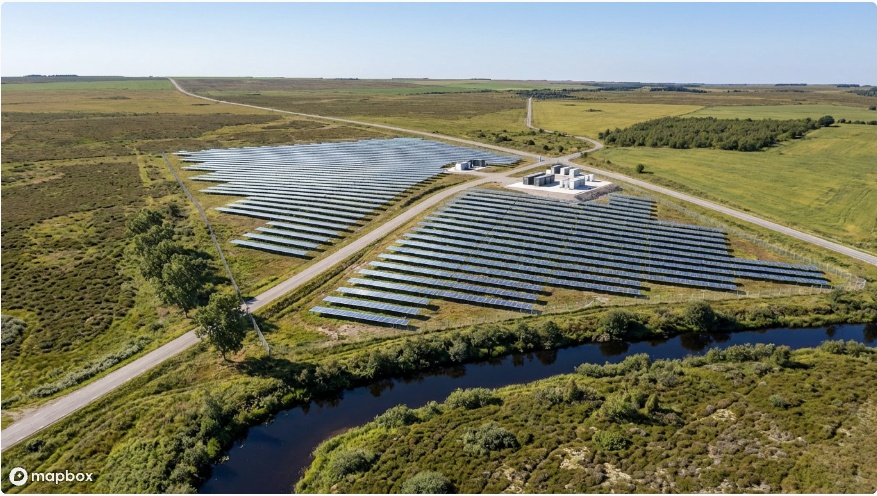
Beautify generates high-quality, photorealistic images of your PV or BESS site directly from your Glint Solar design. No switching tools. No separate license. No rebuilding your project from scratch somewhere else.
With Beautify, development teams can:
- Generate stakeholder-ready renders in seconds, directly from their Glint Solar layout
- Choose and lock the viewpoint before generating, no guessing, no wasted renders
- Iterate quickly across different sites or scenarios
- Store and retrieve images against the relevant project version in Glint Solar
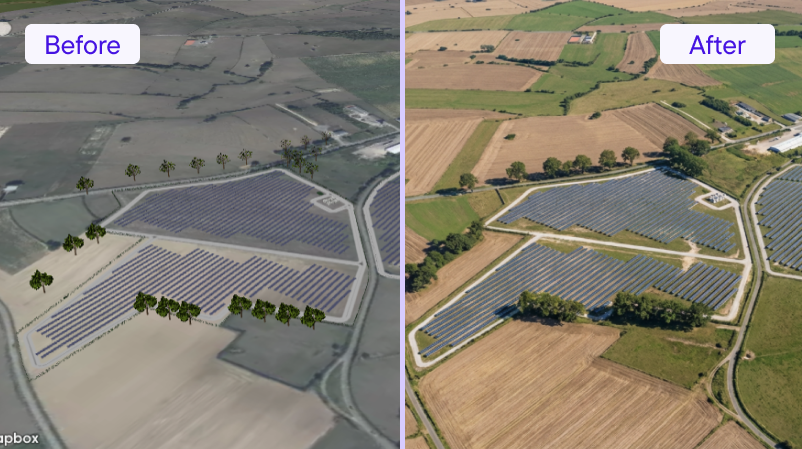
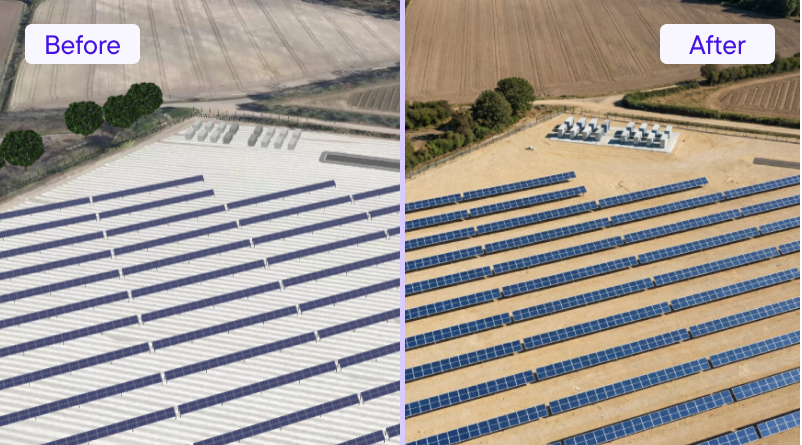 Who this is for
Beautify is most immediately valuable for developers who regularly present to landowners, communities, or local authorities, particularly on BESS projects, where stakeholders are often seeing this type of infrastructure for the first time.
It's also well suited to business development teams preparing pitch materials or tender submissions where visual quality matters. If you're already using Glint Solar for site design and 3D visualization, Beautify plugs directly into that workflow. There's nothing new to learn and nothing new to manage.
"Beautify is an incredibly powerful door opener for communication with landowners and municipalities. With minimal effort, it delivers clear and convincing visualizations of PV layouts. It’s a tool I wouldn’t want to work without." - Rosa Bruch, Project Manager, RES
"Beautify saves us a lot of time with very little effort. The images come out high‑quality and realistic, and it’s fast. I no longer need to rely on multiple AI tools or Photoshop to get the results I want." - Tobias Kock, Project Engineer, Aurinkokarhu
How to generate new images
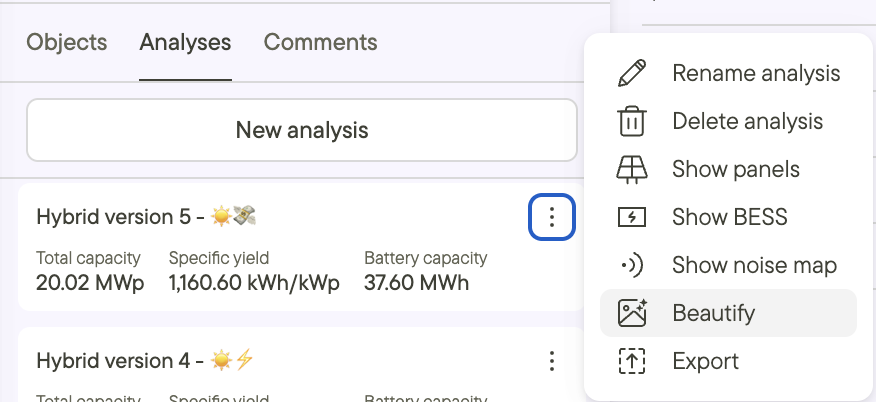
Locate the analysis for which you'd like to generate a beautified site visualization. To generate new renders, or find your previously generated renders, look for the three dots (⋮) on your Analysis card, and click Beautify.
Beautify is designed for business development and marketing use. It isn't a substitute for engineering-grade photomontage or permit-application visualizations, and it won't try to be. What it does is give your team is a fast, credible way to answer the question every stakeholder asks: what will this actually look like?